
TOP 10 Best Gaming Monitors 2026
Gaming has become an increasingly popular hobby, with millions of gamers around the world. When it comes to gaming, having the right equipment is crucial in order to get the best experience possible. One important piece of equipment for any serious gamer is a gaming monitor.
A gaming monitor is specifically designed to enhance your gaming experience by providing better visuals, faster response times and smoother gameplay. With so many options available in the market, choosing the right gaming monitor can be a daunting task. This buying guide will help you make an informed decision and find the perfect gaming monitor for your needs.


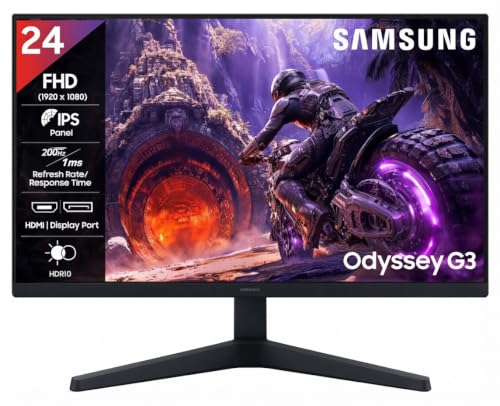

Display Panel Types
The first thing to consider when buying a gaming monitor is the type of display panel it uses. The most common types are TN, IPS and VA panels. Each one has its own advantages and disadvantages.
- TN (Twisted Nematic) panels have the fastest response times, making them ideal for fast-paced games. They also have a higher refresh rate which means smoother visuals. However, they have poorer color accuracy and narrower viewing angles compared to other panel types.
- IPS (In-Plane Switching) panels have better color accuracy and wider viewing angles, making them great for immersive gaming experiences. However, they have slower response times and a lower refresh rate compared to TN panels.
- VA (Vertical Alignment) panels offer a balance between the two, with decent response times and good color accuracy. They also have a high contrast ratio which enhances the overall visual experience. However, they can suffer from motion blur in fast-paced games.
Resolution and Size
The resolution and size of a gaming monitor also play a crucial role in providing an immersive gaming experience. Generally, the higher the resolution, the sharper and more detailed the visuals will be. Common resolutions for gaming monitors are:

- 1080p (1920×1080): This is the most common resolution for gaming monitors and provides good visuals for most games.
- 1440p (2560×1440): This offers a sharper image compared to 1080p but requires a powerful graphics card to run smoothly.
- 4K (3840×2160): The highest resolution available, providing incredibly detailed visuals. However, this also requires a very powerful graphics card to run smoothly.
In terms of size, the ideal gaming monitor will depend on your personal preference and available space. Popular sizes for gaming monitors range from 24 inches to 32 inches.
Refresh Rate
Refresh rate refers to how many times per second the monitor updates its image. A higher refresh rate results in smoother animations and less motion blur. The most common refresh rates for gaming monitors are 60Hz, 144Hz, and 240Hz.
- 60Hz: This is the standard refresh rate for most monitors and provides decent visuals for casual gaming.
- 144Hz: This offers a significant improvement in terms of smoothness and responsiveness, making it ideal for competitive gaming.
- 240Hz: The highest refresh rate available, providing the smoothest and most responsive visuals. However, this also requires a powerful graphics card to fully utilize its potential.
Response Time

Response time is the measure of how quickly a pixel can change from black to white or from one shade of gray to another. A lower response time results in less motion blur and ghosting, making it ideal for fast-paced games. The most common response times for gaming monitors are 1ms, 5ms, and 10ms.
- 1ms: This is the fastest response time available and is perfect for competitive gamers who require lightning-fast reactions.
- 5ms: This offers a good balance between speed and cost, making it a popular choice for casual gamers.
- 10ms: The slowest response time available, this is ideal for budget-friendly gaming monitors but may not provide the best experience for fast-paced games.
FreeSync and G-Sync
Both FreeSync and G-Sync technologies aim to eliminate screen tearing and stuttering by synchronizing the monitor’s refresh rate with the graphics card’s output. FreeSync is developed by AMD and is compatible with both AMD and Nvidia graphics cards, while G-Sync is developed by Nvidia and only works with Nvidia graphics cards. If you have an AMD graphics card, opting for a monitor with FreeSync technology can provide a smoother gaming experience without the added cost of a G-Sync monitor.
Final Thoughts
When choosing a gaming monitor, it’s important to consider your budget and personal preferences. While having the latest technology can enhance your gaming experience, it may not be necessary for casual gamers. Take into account the panel type, resolution and size, refresh rate, response time, and additional features such as FreeSync or G-Sync. Ultimately, finding the perfect gaming monitor will depend on finding the right balance between performance, cost, and personal preference. We hope this buying guide has helped you make an informed decision and find the perfect gaming monitor to take your gaming experience to the next level.